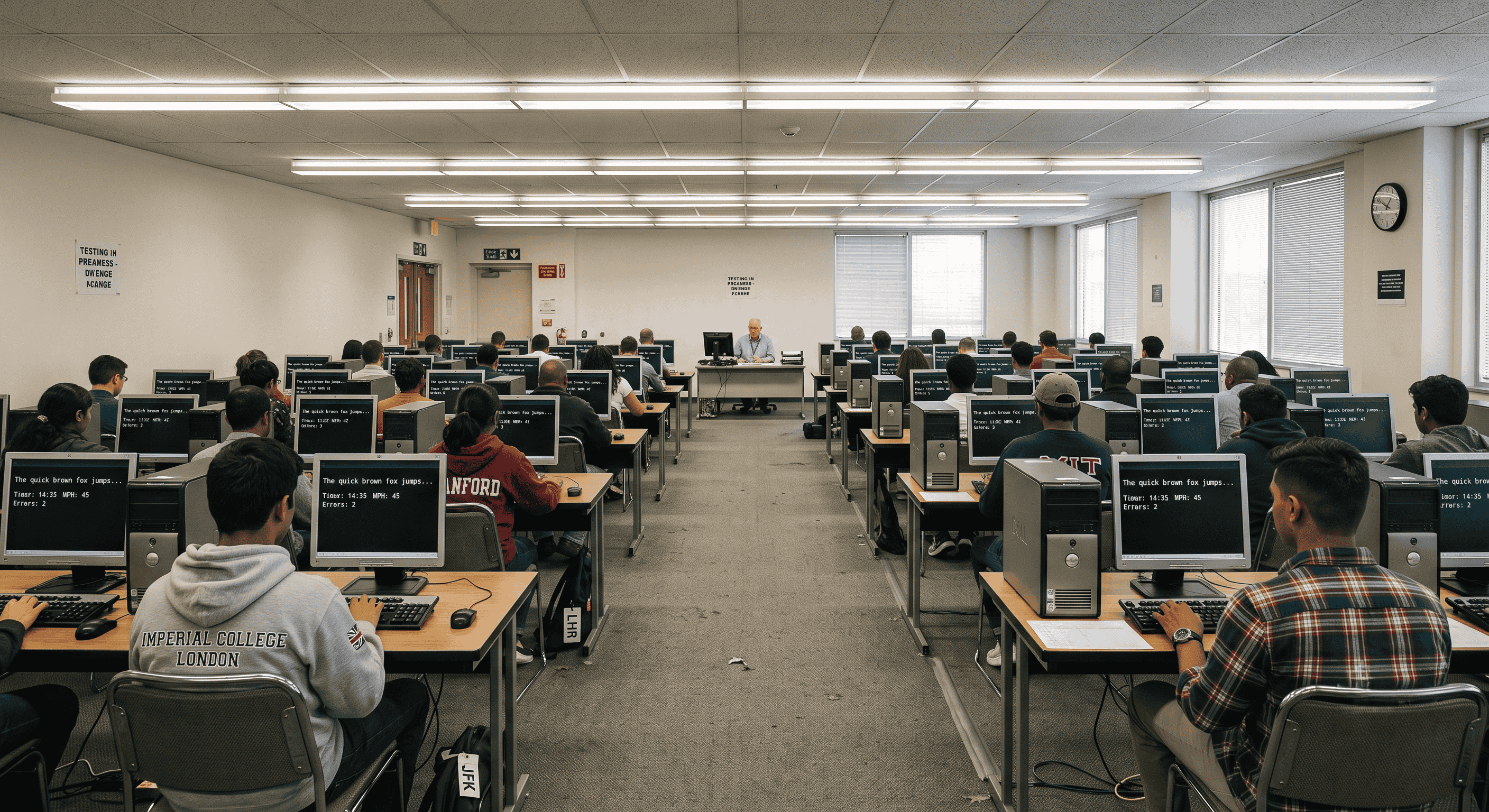
How to Survive Stiff Keyboards and Nervousness During Your 10-Minute Skill Test
You have spent countless hours mastering your keystrokes. You have diligently transcribed every shorthand dictation, pushed your typing speed to new limits, and achieved near-perfect typing accuracy on your comfortable laptop. But when you finally walk into the examination hall for your SSC Stenographer or court clerk exam, you are greeted by a harsh reality: a worn-out, stiff, and clunky desktop keyboard.
Government exam centers are notorious for utilizing older hardware. If you are accustomed to a smooth mechanical keyboard or a sleek laptop, transitioning to a rigid membrane keyboard under the intense pressure of a 10-minute skill test can severely derail your performance. Panic sets in, your hands start to shake, and suddenly, the English typing test you prepared months for feels impossible.
In this guide, we are going to break down exactly how you can adapt to unfamiliar hardware on the fly, calm your test-day nerves, and ensure your government exam preparation pays off when it matters most.
Why Hardware Adaptation Matters for Government Exams
The difference between passing and failing a typing skill test rarely comes down to your base knowledge. If you have been practicing consistently on platforms like Free Shorthand Typing, your muscle memory is already built. The failure point is almost always environmental adaptation.
Stiff keyboards require more actuation force—meaning you literally have to press the keys harder for the computer to register the stroke. If you type with a light touch, you will experience "dropped letters" where you thought you typed a word correctly, but a missing letter ruins your typing accuracy. Understanding how to aggressively adjust your typing style in the first few minutes of the exam is the ultimate secret weapon for any Court Stenographer or SSC aspirant.
The Benefits of a Test-Day Strategy
Having a concrete plan for dealing with bad hardware provides several massive advantages:
- Nervousness Reduction: When you anticipate a bad keyboard, you don't panic when you finally touch one. You expect it, and you know how to handle it.
- Sustained Accuracy: By adjusting your finger pressure early, you avoid the cascading errors that ruin paragraphs.
- Time Management: You will not waste precious minutes fighting the hardware; instead, you will settle into a rhythm quickly.
Step-by-Step Guide: Navigating the Typing Exam Hall
Step 1: Maximize the 2-Minute Trial Session
Almost every major exam, including the SSC Stenographer and CPCT, provides a brief 2-minute mock or trial typing session before the actual test begins. This is not the time to show off your typing speed to the person sitting next to you. This is a hardware diagnostic test.
During this trial, press every single crucial key. Test the spacebar from the left, middle, and right sides (older keyboards often have sticky spacebars that only register if hit dead-center). Test the Shift keys heavily. If you are taking a Hindi Typing Test, test your half-characters and Alt-codes. Whether you are doing Kruti Dev Typing or Mangal Typing, missing a shift stroke will ruin your formatting.
Step 2: Adjust Your Chair and Posture
Because you have to press harder on a stiff keyboard, you need leverage. If your chair is too low, your wrists will rest heavily on the desk, forcing your fingers to do all the heavy lifting. Adjust your chair so your elbows are slightly above the desk level. This allows the natural weight of your arms to assist your fingers in pushing down stubborn keys.
Step 3: The "Heavy Hands" Technique
If you discover during the trial session that the keyboard is rigid, immediately switch to the "Heavy Hands" technique. Lift your fingers slightly higher off the keys than you normally would, and strike downwards with intention. It will feel unnatural and a bit aggressive, but this guarantees that every keystroke registers. You might sacrifice 2 to 3 words per minute in raw typing speed, but you will save massive penalties by maintaining your typing accuracy.
Step 4: Managing the Adrenaline Dump
When the actual 10-minute timer starts, your body will release adrenaline. Your hands might tremble, making it hard to hit the right keys for your Pitman exercise transcription. To counter this, take a deep breath, push your feet firmly into the floor, and deliberately type your first three sentences at 70% of your normal speed. Do not rush out of the gate. Establish your accuracy first; the speed will naturally follow once your heart rate settles.
Practical Examples: Overcoming Specific Hardware Hurdles
Scenario 1: The Sticky Spacebar
You hit the spacebar, but the words merge together. Solution: Change your thumb positioning. Instead of tapping the edge of the spacebar, curl your thumb slightly and strike the direct center of the bar where the sensor is most responsive.
Scenario 2: The Wobbly Backspace
The backspace key gets stuck when pressed. Solution: Stop making mistakes. While that sounds sarcastic, the reality is you must slow down your gross speed to ensure you rarely need the backspace key. On a bad keyboard, accuracy is your only defense.
Scenario 3: Complex Formatting Tasks
You are facing the Allahabad High Court Formatting test, and the tab and enter keys are stiff. Solution: Use your pinky finger with extra force, or briefly shift your entire hand to strike these keys with your stronger index finger to ensure the formatting command executes properly.
Pro Tip for Government Aspirants
Do not do all of your online typing practice on a high-end laptop. Go to a local cyber cafe once a week, or buy a cheap membrane keyboard to plug into your computer. Practicing on terrible hardware is the best preparation for the actual exam hall.
Common Mistakes Candidates Make on Test Day
- Ignoring the Trial Session: Typing random words instead of actively testing the hardware's limits.
- Panic Backspacing: Making an error, panicking, and mashing the backspace key, which often leads to deleting correct words and losing your place on the screen.
- Looking Down at the Hands: As soon as the keyboard feels weird, candidates break their screen focus and look at their hands. This destroys your rhythm. Trust your muscle memory.
- Arguing Mid-Test: If a key is completely broken (it doesn't type at all), raise your hand immediately during the trial session. Do not wait until the main test begins to complain to the invigilator.
Hardware Comparison: Home vs. Exam Center
| Feature | Your Laptop / Mechanical Keyboard | Typical Exam Center Keyboard |
|---|---|---|
| Actuation Force | Light to medium (easy to press) | Heavy and rigid (requires force) |
| Key Travel | Shallow (laptops) or smooth (mechanical) | Deep, mushy, and unpredictable |
| Spacebar Responsiveness | Registers anywhere you press it | Often only registers dead center |
| Tactile Feedback | Clear click or bump when pressed | Spongy, hard to tell if key was pressed |
Frequently Asked Questions (FAQ)
1. Can I bring my own keyboard to the SSC Stenographer skill test?
No. Government exam boards strictly prohibit candidates from bringing outside hardware for security reasons. You must use the equipment provided at the exam center.
2. What if my keyboard is genuinely broken during the test?
Use the 2-minute trial session to identify this. If a key is completely dead, raise your hand immediately and inform the invigilator before the main test begins. They are required to replace it or move you to a working terminal.
3. Does a stiff keyboard affect Hindi typing more than English typing?
Yes, it often does. Hindi Typing Tests (both Kruti Dev and Mangal) rely heavily on Shift states and Alt-codes to create half-characters. A stiff Shift key can cause you to type the wrong character entirely, severely impacting your accuracy.
4. How can I practice for this at home?
Purchase the cheapest, thickest membrane keyboard you can find online and use it exclusively for your online typing practice on Free Shorthand Typing for the last two weeks before your exam.
5. How do I stop my hands from shaking during the 10-minute typing test?
Cold hands and adrenaline cause shaking. Wash your hands with warm water right before entering the hall. When sitting down, take deep breaths and deliberately type slower for the first 30 seconds to let the adrenaline wear off.
6. Should I focus on speed or accuracy if the keyboard is bad?
Always prioritize typing accuracy. You lose far more marks for incorrect words and formatting errors than you do for missing a few words at the very end of the passage.
7. What if the backspace key is disabled?
Some skill tests disable backspace entirely. If this is the case, you must force yourself to type at a controlled, methodical pace. Do not race the clock; let your muscle memory guide you safely through the dictation.
8. Is the Allahabad High Court formatting test difficult on old hardware?
It can be, because formatting requires precise use of Tab, Caps Lock, and Shift. Test these specific keys thoroughly during your trial typing session.
Final Conclusion
Your typing test is just as much a test of mental fortitude and adaptability as it is a test of speed. The hardware at the exam center will likely be subpar, but by walking into the room with a strategic mindset, you strip away the panic. Utilize the trial session to map out the keyboard's flaws, adjust your seating for better leverage, and prioritize accuracy over raw speed in the opening minutes.
Remember, every other candidate in that room is dealing with the exact same stiff keyboards. The one who adapts the fastest is the one who secures the job.
Ready to Perfect Your Skills?
The best way to prepare for exam day is relentless, high-quality practice. Whether you are translating your Pitman shorthand dictation, mastering Kruti Dev, or preparing for the AHC formatting test, we have the tools you need.
Start your daily routine with our Online Typing Practice tools today and build the confidence required to conquer any hardware the exam center throws at you!