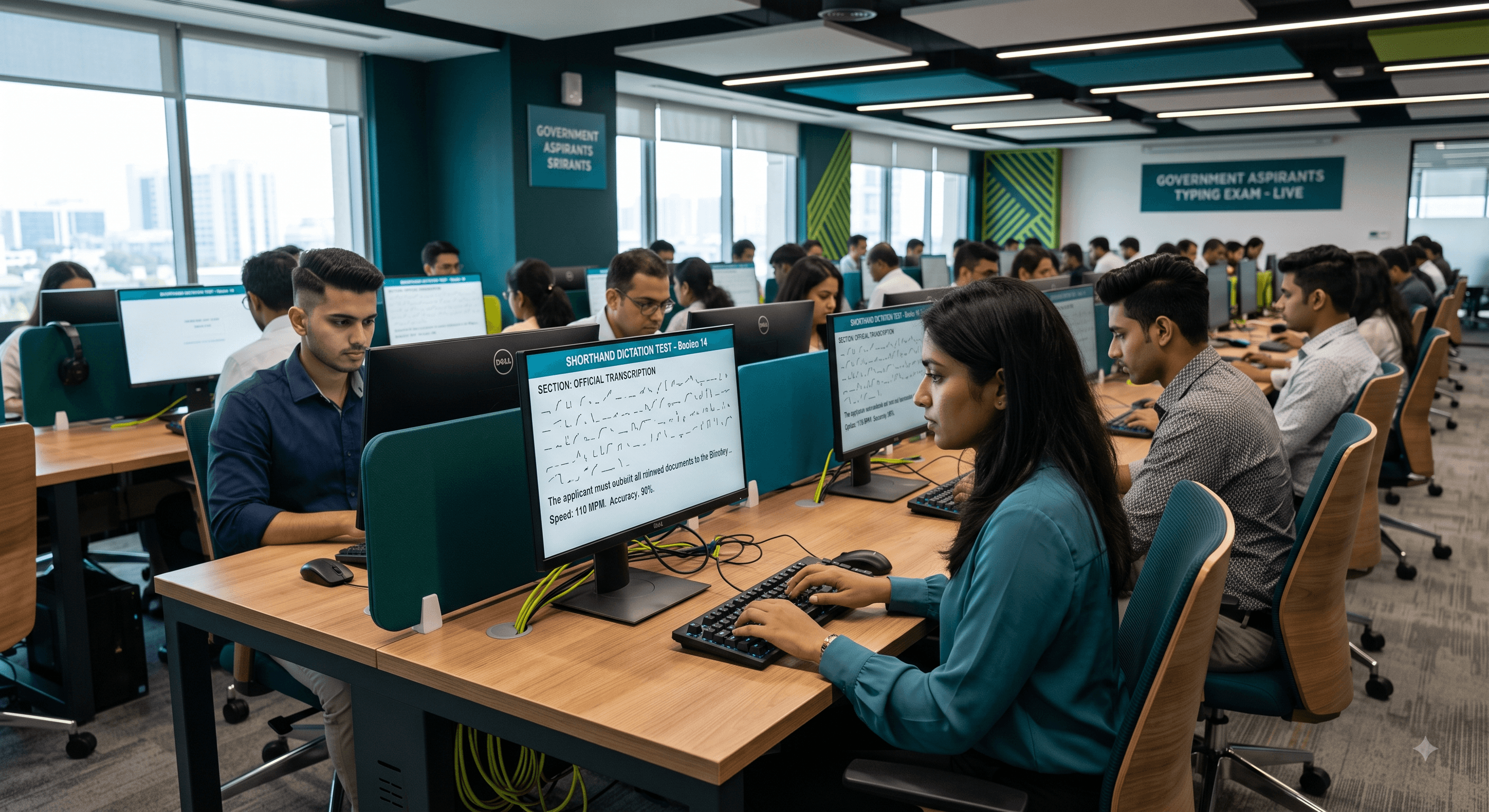
The Ultimate Guide to Cracking SSC Stenographer and Court Typing Exams
Introduction
Securing a position as a government stenographer or clerk requires more than just academic knowledge; it demands exceptional practical skills. Whether you are aiming for the SSC Stenographer Grade C and D examinations, or targeting specific state tribunals and high courts, passing the skill test is the ultimate hurdle. At the heart of this challenge is mastering Shorthand Dictation and passing rigorous English and Hindi Typing Tests. With thousands of candidates competing for limited vacancies, your typing speed and typing accuracy must be flawless. In this comprehensive guide, we will explore the strategies, tools, and daily routines you need to excel in Pitman shorthand, Kruti Dev typing, Mangal typing, and specialized formats like Allahabad High Court Formatting.
Why Shorthand and Typing Proficiency Matters
Government exam skill tests are notorious for their strict grading standards. Modern examination centers utilize sophisticated automated evaluation logic to grade your transcriptions and typing tests. This software compares your typed output against a master text, penalizing you for missed words, incorrect spelling, and even extra spaces. Because human leniency is removed from the equation, you cannot afford technical errors.
Furthermore, shorthand is a time-sensitive skill. Taking down an 80 WPM or 100 WPM shorthand dictation requires extreme mental focus and muscle memory. If your fundamentals in Pitman shorthand are weak, transcription becomes a guessing game. Proficient typing ensures that once you have read your shorthand outlines, you can transfer them to the screen swiftly, leaving you ample time to proofread your work before the timer runs out.
Benefits of Dedicated Online Typing Practice
Transitioning from a typewriter or offline word processor to a dedicated online typing practice platform offers immense advantages for government job aspirants:
- Real-Time Analytics: Online platforms calculate your Gross WPM, Net WPM, and accuracy percentage instantly, giving you a clear picture of your progress.
- Exam Simulation: Practicing in an interface that mimics the actual exam software reduces test-day anxiety and familiarizes you with the testing environment.
- Customized Font Support: High courts and regional exams often mandate specific fonts. Dedicated platforms provide seamless practice for both Kruti Dev and Mangal Unicode fonts without complicated local installations.
- Shorthand Integration: Advanced tools integrate shorthand dictionaries and Pitman exercises, allowing you to seamlessly practice reading outlines and typing the transcription in one place.
Step-by-Step Guide to Mastering Shorthand and Typing
Step 1: Build a Strong Pitman Foundation
Do not rush into high-speed dictations. Start with foundational Pitman exercises. Focus on the correct placement of strokes (above the line, on the line, through the line) and vowel indicators. Utilizing digital shorthand dictionaries can rapidly accelerate your outline building, ensuring you learn the standardized, most efficient strokes for complex words right from the start.
Step 2: Choose and Master Your Keyboard Layout
For the English Typing Test, the standard QWERTY layout is universal. However, the Hindi Typing Test requires a strategic choice. Many candidates struggle with the strict keyboard mappings required for different fonts. If your exam requires Mangal typing, you will likely use the Inscript or Remington GAIL layout. If it requires Kruti Dev, the mapping is entirely different. Dedicate at least 30 minutes daily to memorizing the exact key placements for your required font to avoid hesitation during the test.
Step 3: Practice Shorthand Dictation with Transcription
Listening to a dictation and writing outlines is only half the battle. You must transcribe your notes on a computer. Set a timer and practice transcribing your shorthand dictation under exam conditions. This builds the critical cognitive link between reading your handwritten strokes and executing rapid keystrokes.
Step 4: Master Specific Exam Formatting
Different exams have different formatting rules. For instance, Allahabad High Court Formatting requires specific indentation, paragraph spacing, and legal terminology handling. Carefully read the instructions provided in your exam notification and replicate those exact formatting rules during your online typing practice.
Practical Examples of Skill Test Scenarios
Consider the SSC Stenographer Grade D skill test. You will receive a 10-minute dictation at 80 words per minute. Following this, you have 50 minutes to transcribe the English text, or 65 minutes for Hindi on a computer. A successful candidate uses the first few minutes of transcription to calmly set their formatting, types the bulk of the text at a steady 35-40 WPM, and reserves the last 10 minutes strictly for proofreading to catch spelling or spacing errors flagged by the automated evaluation logic.
In contrast, a High Court typing test might focus heavily on on-screen typing where a passage is displayed on the top half of the screen, and you type in the bottom half. Here, touch typing is mandatory because looking down at the keyboard breaks your visual tracking of the source text, leading to skipped lines.
Pro Tip: Hindi Typing Alt Codes
When practicing Hindi Typing Tests in Kruti Dev, memorizing Alt codes is essential for generating special characters. However, you must be extremely precise with your keystrokes. A very common error among learners is using incorrect Alt codes that generate characters like "Kra" or "D-dha" instead of the intended "Half La". Always verify your keyboard mapping and practice these specific codes repeatedly to ensure perfect accuracy during the live exam.
Common Mistakes to Avoid
Many candidates fail the skill test despite having high typing speeds because they ignore accuracy. Below are the most common pitfalls:
| Mistake | Impact on Score | How to Fix It |
| Ignoring Backspace Rules | High penalty in restricted exams | Practice with the backspace disabled on your online typing platform. |
| Double Spacing Between Words | Triggers automated error logic | Develop a lighter touch on the spacebar and proofread carefully. |
| Looking at the Keyboard | Loss of speed and skipped source lines | Commit to 100% touch typing. Cover your hands with a cloth while practicing if necessary. |
| Skipping Shorthand Vowels | Incorrect transcription of similar outlines | Always insert essential vowels in your Pitman exercises, especially for proper nouns. |
Frequently Asked Questions (FAQ)
1. What is the minimum typing speed required for the SSC Stenographer exam?
While the shorthand dictation is 80 WPM for Grade D and 100 WPM for Grade C, the transcription time requires a steady typing speed of roughly 30 to 35 WPM in English and 25 to 30 WPM in Hindi to complete the task with enough time left for proofreading.
2. Is Kruti Dev or Mangal font better for Hindi typing exams?
This completely depends on the specific exam notification. SSC generally allows Mangal (Inscript/Remington), while many state courts still mandate Kruti Dev. You must practice the exact font specified for your target job.
3. How does the automated evaluation logic grade my typing test?
The software matches your typed text against a master file. It categorizes errors into Full Mistakes (missing words, extra words, spelling errors) and Half Mistakes (spacing errors, capitalization). High accuracy is strictly enforced.
4. Can I clear the skill test if I learn Pitman shorthand online?
Absolutely. With disciplined daily practice, utilizing shorthand dictionaries, and taking regular audio dictations through an online platform, self-study can be highly effective.
5. How can I improve my typing accuracy?
Slow down your base speed to a pace where you make zero errors. Build muscle memory through repetition, and only increase your speed in small increments once your accuracy consistently hits 95% or higher.
6. What is Allahabad High Court Formatting?
It refers to the specific layout and stylistic rules required in AHC typing exams, which often include exact margin settings, paragraph indentations using the Tab key, and specific handling of legal jargon and case numbers.
7. How long does it take to learn shorthand?
Learning the basic rules of Pitman shorthand takes about 3 to 4 months. However, building the speed to take a shorthand dictation at 80 WPM typically requires 8 to 12 months of consistent daily practice.
8. Are online typing tests identical to the real exam?
Premium platforms are designed to replicate the exact interface, strict error-calculation formulas, and environment of government exams, making them the best way to prepare.
Conclusion
Cracking government typing and stenography exams is a test of endurance, precision, and the right preparation strategy. Whether you are deciphering complex Pitman shorthand outlines or typing flawlessly in Mangal and Kruti Dev, success comes down to daily, focused repetition. By understanding the automated evaluation logic used by examiners, avoiding common Alt code errors, and utilizing comprehensive online practice tools, you can confidently walk into your exam center ready to succeed.
Ready to Boost Your Typing Speed?
Stop leaving your government job dreams to chance. Start practicing with the most accurate exam simulators available today. Visit Free Shorthand Typing to access premium shorthand dictations, specialized English and Hindi typing tests, and comprehensive Pitman exercises designed specifically for SSC and High Court aspirants. Create your account and begin your journey to a successful career now!
Popular Tags:
- Shorthand Dictation
- Typing Test
- Pitman Shorthand
- SSC Stenographer
- English Typing
- Hindi Typing
- Kruti Dev
- Mangal Font
- High Court Exams
- Typing Speed
- Typing Accuracy
- Online Practice
- Stenography
- Skill Test
- AHC Formatting
- Govt Exams
- Pitman Exercise
- Shorthand Practice
- Typing Software
- Steno Jobs
- Dictation Audio
- Transcription