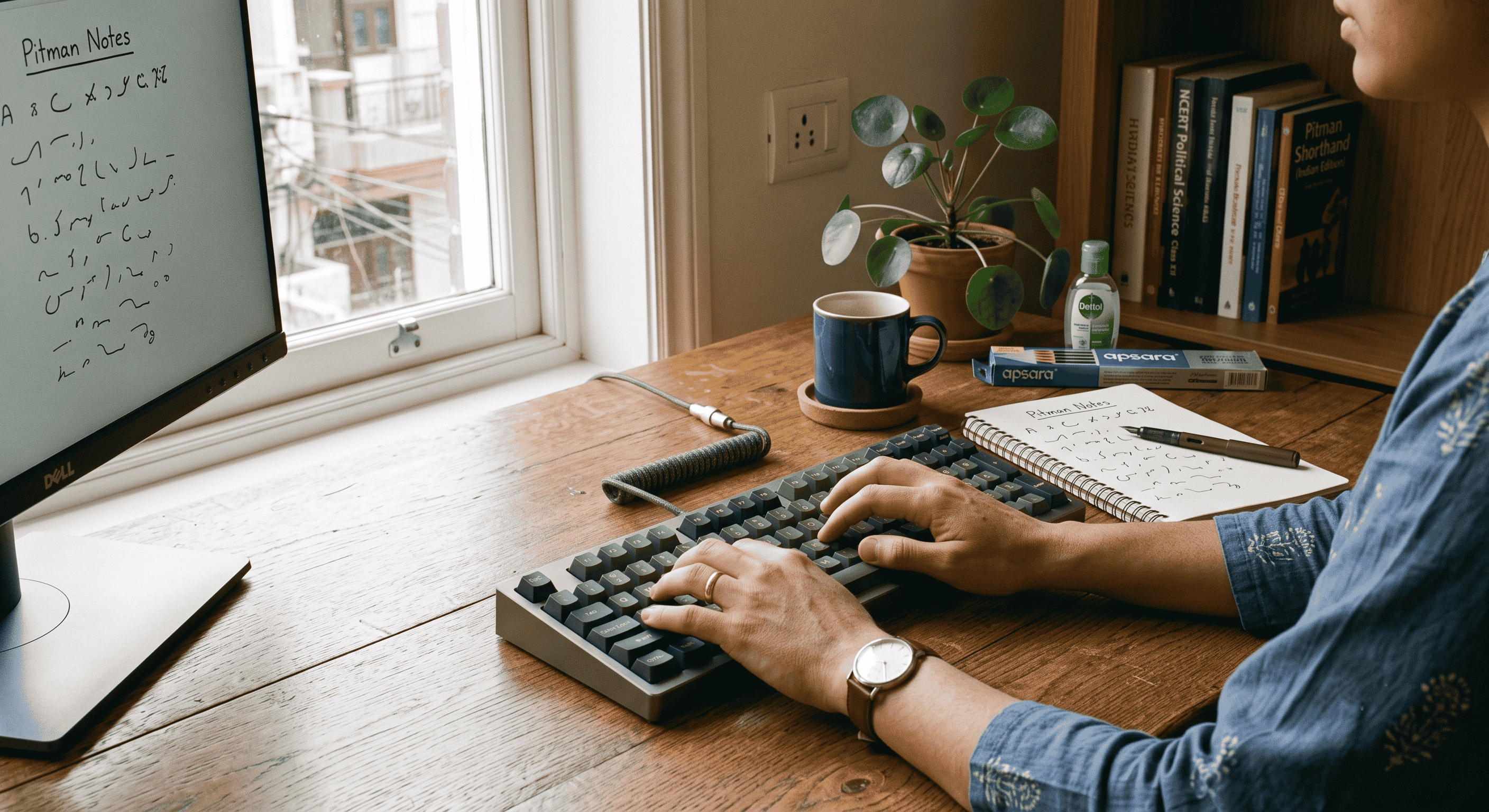
The Physical Toll of 100 WPM: Ergonomics and Hand Health for Stenographers
When you are chasing high speeds in stenography, the focus is almost always on the mind. You train your brain to instantly recognize complex auditory cues, memorize intricate strokes, and rapidly translate them into text. However, what many aspirants ignore until it is too late is the severe physical demand placed on the body. Achieving and maintaining 100 words per minute (WPM) is an athletic feat for your hands, wrists, and forearms.
Whether you are rapidly taking notes during a Shorthand Dictation, battling through a rigorous SSC Stenographer skill test, or perfecting your Allahabad High Court Formatting, the repetitive motions can take a hidden toll. Over time, ignoring your physical well-being can lead to debilitating conditions like Repetitive Strain Injury (RSI), tendonitis, or carpal tunnel syndrome, abruptly halting your career progress.
At Free Shorthand Typing, we want you to succeed without sacrificing your health. This comprehensive guide will explore the critical importance of typing ergonomics, practical hand health routines, and correct desk posture to ensure you can practice safely for hours.
Why Hand Health and Ergonomics Matter
Hitting 100 WPM means your fingers are making hundreds of micro-movements every single minute. If your wrists are bent at unnatural angles or your posture forces your shoulders to slump, those micro-movements create micro-tears in your tendons and muscles. Over weeks and months of Government Exam Preparation, this inflammation builds up.
Many students push through the initial numbness or tingling, believing it is just a normal part of building Typing Speed. This is a dangerous misconception. Hand fatigue directly destroys Typing Accuracy. When your muscles are strained, your finger dexterity drops, leading to skipped keys, ghost strokes, and messy Pitman Shorthand outlines that become impossible to transcribe accurately later.
The Direct Benefits of Proper Ergonomics
Investing time in your physical setup and hand care routine is not a distraction from your studies; it is a performance enhancer. Here is what you gain:
- Sustained Typing Speed: Comfortable muscles fire faster and more consistently, allowing you to maintain peak WPM for the entire duration of your Typing Test.
- Pinpoint Typing Accuracy: Reduced hand fatigue means fewer accidental keystrokes, which is especially crucial when navigating complex character maps in Kruti Dev Typing or Mangal Typing.
- Increased Practice Stamina: A good ergonomic setup allows for longer, highly productive Online Typing Practice sessions without the distraction of back or wrist pain.
- Career Longevity: Protecting your hands now ensures you can actually perform the daily duties of a Court Stenographer or government official for decades to come.
Step-by-Step Guide to the Perfect Stenographer Desk Setup
Your environment dictates your posture. Follow these steps to optimize your study station for both shorthand writing and digital transcription.
Step 1: Master the 90-Degree Rule
Adjust your chair so that your feet are flat on the floor (or on a footrest). Your knees should be at a 90-degree angle, level with or slightly below your hips. Your elbows should also rest at a 90 to 100-degree angle when your hands are on the keyboard or your Pitman Exercise notebook.
Step 2: Correct Keyboard and Pad Placement
Your keyboard should be positioned flat or with a slight negative tilt (tilting away from you). Never use the little kickstands at the back of standard keyboards to angle them upward; this forces your wrists into extension, a primary cause of RSI. When writing Pitman Shorthand, place your notepad directly in front of your dominant shoulder to prevent twisting your spine.
Step 3: Monitor Height and Distance
Position your monitor about an arm's length away. The top line of the screen should be exactly at or slightly below your eye level. If you are constantly looking down at a laptop screen during an English Typing Test or Hindi Typing Test, you are straining your cervical spine, which can cause referred pain down your arms and into your hands.
Step 4: Adopt the "Floating Wrist" Technique
When typing, your wrists should hover in a neutral, straight line above the keyboard. Do not plant your wrists firmly on the desk or a hard wrist rest while actively typing. A wrist rest is meant for resting between typing bursts, not during active keystrokes.
Practical Hand Stretches and Care Routines
Incorporate this quick routine into your daily practice. Perform these stretches before you begin, and during a 5-minute break every hour.
- The Wrist Flex and Extend: Extend your right arm straight in front of you. Use your left hand to gently pull your right fingers down toward the floor until you feel a stretch in your forearm. Hold for 15 seconds. Then, point your fingers up toward the ceiling and pull them gently back toward your body. Hold for 15 seconds. Switch arms.
- Finger Spreads: Open your hands wide, spreading your fingers as far apart as possible. Hold the tension for 5 seconds, then relax and gently make a loose fist. Repeat 5 times to relieve the cramping caused by gripping a pencil tightly during Shorthand Dictation.
- Thumb Stretches: Hindi typing, particularly Mangal Typing, often requires frequent use of the spacebar and Alt keys, heavily taxing the thumbs. Gently pull your thumb back away from your palm, hold for a few seconds, and release.
- The Shake Out: Simply drop your arms to your sides and shake your hands loosely for 10-15 seconds to promote blood flow.
Ergonomic Setup Checklist
Use this quick reference table to audit your current practice environment:
| Body Part | Correct Posture / Position | Risk if Incorrect |
|---|---|---|
| Feet | Flat on the floor or on a stable footrest. | Lower back pain, reduced blood circulation. |
| Knees & Hips | 90-degree angle, thighs parallel to the floor. | Sciatica, hip joint stiffness. |
| Lower Back | Supported by the chair's lumbar curve. | Slouching, spinal compression. |
| Shoulders | Relaxed, dropped down naturally, not hunched. | Neck tension, tension headaches. |
| Elbows | Close to the body, 90 to 100-degree open angle. | Ulnar nerve compression (cubital tunnel). |
| Wrists | Straight, neutral, floating above the keyboard. | Carpal tunnel syndrome, tendonitis. |
| Eyes | Looking straight ahead at the top third of the monitor. | Neck strain, digital eye fatigue. |
Common Mistakes Aspirants Make
- The "Death Grip" on the Pencil: When dictation speeds increase, many students subconsciously squeeze their pencil incredibly hard. This wastes energy and causes severe hand cramps. Practice maintaining a loose, fluid grip even at high speeds.
- Ignoring Early Warning Signs: If your fingers feel numb, cold, or tingly, your body is warning you. Pushing through the pain to finish one more Typing Test is a mistake that can sideline you for weeks.
- Practicing on the Couch or Bed: Laptops make it easy to study anywhere, but practicing Shorthand Dictation or typing on a soft surface destroys your posture. Always use a proper desk for serious Government Exam Preparation.
- Skipping Warm-ups: You would not run a sprint without stretching. Do not jump straight into a 100 WPM dictation with cold hands. Start with 5 minutes of slow, easy typing or basic Pitman outlines to warm up the muscles.
Frequently Asked Questions (FAQs)
1. How often should I take breaks during Online Typing Practice?
You should follow the 50/10 rule. For every 50 minutes of intense practice, take a 10-minute break to stand up, stretch your hands, and look away from the screen.
2. Can wrist pain affect my Typing Speed and Typing Accuracy?
Absolutely. Pain restricts your range of motion and muscle response time. Furthermore, inflammation can make your fingers feel heavy or clumsy, drastically lowering your accuracy and WPM.
3. Are there specific stretches for Pitman Shorthand students?
Yes. Because Pitman relies heavily on light and heavy strokes, your index finger and thumb take the brunt of the work. Focus on finger spreads and gentle thumb extensions to counteract the pinching motion of holding the pencil.
4. Does typing in Hindi (Kruti Dev or Mangal) cause more hand strain than English?
It can. Hindi typing layouts often require frequent use of the Shift key, Alt codes for half-letters, and top-row number keys. This stretches the pinky and thumb more than standard English typing. Proper "floating wrist" technique is essential here.
5. How long does it take to recover from typing fatigue before a Typing Test?
Minor muscle fatigue can recover overnight with good rest and hydration. However, if you are experiencing sharp pain or numbness, you may need a few days of complete rest. Never take a major exam with fatigued hands.
6. Is a mechanical keyboard better for SSC Stenographer exam prep?
While mechanical keyboards offer tactile feedback that can improve accuracy, they are not strictly necessary. What matters most is that the keys are not overly stiff and that your wrists are positioned neutrally. However, practicing on a standard, slightly clunky keyboard is recommended since that is what you will likely face in the actual exam hall.
7. What is the best desk height for practicing Government Exam Preparation tests?
The ideal desk height allows your keyboard to sit exactly at elbow height when your shoulders are relaxed. For most people, this is between 28 and 30 inches off the floor, but an adjustable chair is the best way to achieve the perfect fit.
8. How do I maintain stamina for the Allahabad High Court Formatting test?
The AHC formatting test demands high focus. Maintain stamina by breathing deeply, sitting back in your chair, and deliberately relaxing your shoulder muscles between document formatting tasks.
Final Conclusion
Your hands are your most valuable tools as a stenographer. Reaching 100 WPM in shorthand or mastering complex formatting is an incredible achievement, but it means nothing if physical pain prevents you from taking the exam or doing the job. By treating your typing and shorthand practice like an athletic endeavor—incorporating warm-ups, maintaining strict ergonomic posture, and respecting your need for breaks—you will build the stamina required to succeed.
Do not let poor desk habits derail your government job dreams. Adjust your chair, correct your monitor height, and start practicing those wrist stretches today. Your future self, and your WPM score, will thank you.
Ready to Practice Safely?
Apply these ergonomic tips right now on Free Shorthand Typing. We offer comprehensive Shorthand Dictation audio, Pitman Exercises, and precise Typing Tests designed to prepare you for the toughest government exams.
Popular Tags:
- Ergonomics
- Hand Health
- RSI Prevention
- Shorthand Dictation
- SSC Stenographer
- Typing Speed
- Typing Accuracy
- Court Stenographer
- Pitman Shorthand
- English Typing Test
- Hindi Typing Test
- Kruti Dev Typing
- Mangal Typing
- Online Typing Practice
- Allahabad High Court Formatting
- Government Exam Preparation
- Typing Posture
- Wrist Stretches
- Finger Exercises
- Carpal Tunnel Prevention
- Stenography Skill
- Typing Stamina
- Exam Preparation.