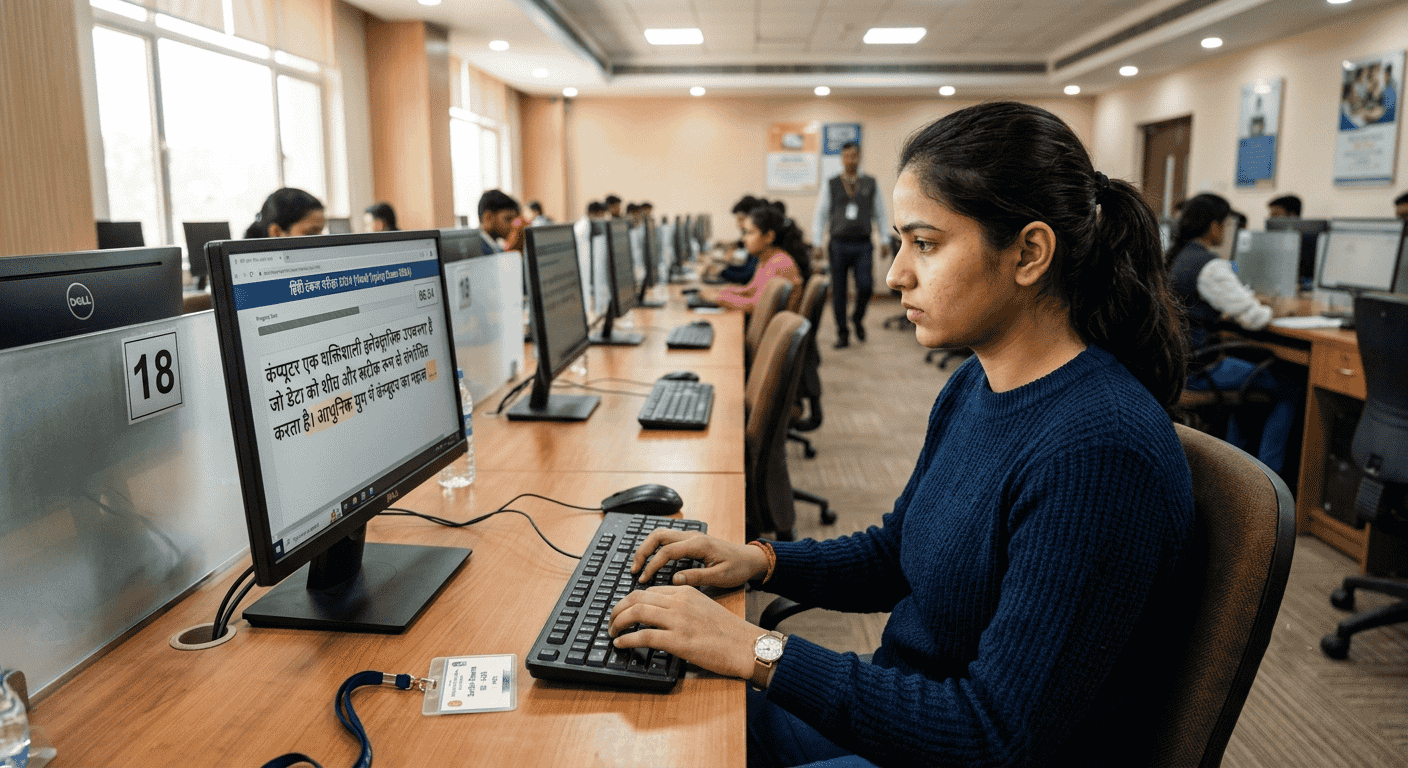
When you sit down for a Hindi Typing Test, the pressure is immense. The clock is ticking, the keyboard feels different from the one you have at home, and every single keystroke matters. While typing regular characters feels natural, the true test of a candidate's proficiency lies in their mastery of complex characters. This is where Alt codes come into play. Understanding how these codes interact with your overall Word Per Minute (WPM) and error calculation can mean the difference between passing and failing highly competitive exams like the SSC Stenographer or Allahabad High Court skill tests.
At Free Shorthand Typing, we analyze thousands of typing test sessions. One consistent trend we see among candidates who fail to reach their target WPM is a misunderstanding of how the testing software processes Alt codes, half-letters, and complex character generation. This comprehensive guide will break down the mechanics of typing evaluation, helping you refine your strategy and secure your government job.
Why It Matters
In standard English typing, character generation is straightforward: one key equals one character. However, in Hindi typing, constructing a single visual syllable might require three to five distinct keystrokes. For Government Exam Preparation, ignorance of the exact evaluation criteria leads to avoidable penalties. Whether you are typing in Kruti Dev or Mangal Unicode, the way you generate half-letters and special symbols directly influences both your gross speed and your net accuracy.
The Cost of Keystrokes: Impact on WPM Metrics
To understand the cost of keystrokes, you first need to understand how Typing Speed is calculated. Most testing authorities calculate WPM based on standard word lengths, typically defining one "word" as five keystrokes. Therefore, your speed is fundamentally a measurement of keystrokes over time.
When taking an English Typing Test, hitting "A" takes one keystroke. If you are taking a Hindi Typing Test and need a special character, you must hold the Alt key and type a series of numbers (like 0161). This process consumes up to five keystrokes just to produce one single character on the screen. Because you are spending more physical keystrokes and time on a single visual output, your gross word count drops. If a passage is heavily loaded with complex words, candidates often panic because they feel they are typing slower, which leads to rhythm breakdown and an eventual increase in mistakes.
Evaluating Character Errors: The Penalty Trap
Understanding the official grading formulas is critical. Authorities classify errors into two categories: Full Mistakes and Half Mistakes. Missing a word completely, substituting a word, or major spelling errors usually constitute a Full Mistake. But what happens when an Alt code misfires?
Imagine you are typing a complex word in Kruti Dev and need to insert a "Half La". You confidently press the Alt key and begin typing the numeric code. However, you make a slight finger slip on the numeric keypad. Because of erroneous Alt code entry, the software produces a completely different character—perhaps generating a "Kra" or a "D-dha" instead of the intended "Half La".
In a casual setting, you would backspace. But under the pressure of a 10-minute Typing Test, you might miss this visual discrepancy. The grading software does not see a simple typo; it sees an illegal character substitution. Because you inserted a "Kra" or "D-dha" in the middle of a word where it does not belong, the entire word is often flagged as a Full Mistake. A single misplaced finger on the numpad can ruin your accuracy percentage for the entire sentence.
Font-Specific Error Risks: Kruti Dev vs. Mangal Typing
The rules of engagement change depending on your chosen keyboard layout and font.
Kruti Dev Typing Risks
- High Alt Code Dependency: Kruti Dev relies heavily on Alt + numeric codes for half-letters and special conjunctions. The physical travel distance from the home row to the numpad introduces a high risk of hesitation and mechanical error.
- No Logical Correction: Kruti Dev is essentially a font applied over English characters. The software does not understand Hindi grammar; it only checks if the underlying ASCII characters match the answer key exactly.
Mangal Typing (Inscript/Remington) Risks
- Halant Reliance: Mangal uses Unicode. Instead of Alt codes, you often use the Halant (virama) key to create half-letters. While this keeps your hands on the home row, pressing the Halant in the wrong sequence breaks the character string.
- Mapping Nuances: Correct keyboard mapping is vital. If your local practice software has incorrect Mangal font keyboard layout mapping compared to the official exam software, you will develop muscle memory for the wrong keystrokes, leading to devastating error rates on exam day.
Practical Examples of Keystroke Impact
Let's look at how the physical effort differs between standard characters and complex ones.
| Requirement | Action Required | Total Keystrokes (Physical) | Risk Level |
|---|---|---|---|
| Standard English Character | Press single key | 1 | Low |
| Standard Hindi Character (No Shift) | Press single key | 1 | Low |
| Shift-Modified Hindi Character | Hold Shift + Press key | 2 | Medium |
| Complex Alt Code (Kruti Dev) | Hold Alt + Press 4 numbers | 5 | High |
Accuracy Strategies: Maintaining Speed and Rhythm
How do you navigate these challenges under the intense pressure of an official skill test? Here are proven strategies to maintain high Typing Accuracy.
- Isolate the Numpad: Do not use the top row numbers for Alt codes; it is ergonomically inefficient and prone to errors. Train your right hand to anchor on the numeric keypad seamlessly.
- Rhythm Over Rush: Typing fast is about consistency, not sudden bursts of speed. Treat Alt codes as a rhythmic multi-beat musical note. Pause slightly, execute the 4-digit code in a smooth sequence, and immediately return to the home row.
- Master the Backspace Rule: Know your exam guidelines. If backspace is allowed, verify complex words immediately after typing them. It is better to lose 2 seconds correcting a misfired "Kra" than to lose 5% accuracy for a Full Mistake.
- Utilize Online Typing Practice: Use platforms like Free Shorthand Typing that simulate the exact exam environment, complete with the correct grading algorithms for full and half mistakes.
Common Mistakes to Avoid
- Ignoring the Num Lock Key: Failing to check if Num Lock is on before the test starts is a disaster waiting to happen. Your Alt codes will simply not work.
- Practicing on Laptop Keyboards: Laptop keyboards have compressed layouts and lack a dedicated numpad. Always practice on a standard, chunky desktop keyboard—the exact type you will face in the exam hall.
- Skipping Pitman Exercise Foundations: For stenographers taking transcription tests, poor shorthand notes lead to hesitation at the keyboard. Your Pitman Shorthand outlines must be flawless so your brain can focus entirely on typing mechanics.
Benefits of Mastering Alt Code Execution
Candidates who conquer their fear of complex Hindi characters unlock massive advantages. Firstly, you eliminate the panic response that occurs when a difficult word appears on screen. Secondly, your net WPM stabilizes because you stop suffering heavy penalties for full word mistakes. Whether you are aiming to clear the SSC Stenographer grade C or D, mastering this technical aspect of the test is your fastest route to the merit list.
Frequently Asked Questions (FAQ)
1. Does using Alt codes decrease my typing speed?
Yes, temporarily. Because Alt codes require multiple physical keystrokes to produce one character on screen, your raw speed drops during those specific words. However, accuracy is more important than raw speed in government evaluations.
2. What happens if I type the wrong Alt code in an SSC Stenographer test?
If an incorrect Alt code generates the wrong character, the software evaluates the entire word as incorrect, resulting in a Full Mistake penalty which severely damages your final WPM calculation.
3. Is Mangal Typing easier than Kruti Dev for reducing keystrokes?
Mangal Unicode is generally more logical because it utilizes the Halant key to combine characters rather than memorizing arbitrary numeric strings. This keeps your hands closer to the home row.
4. Why did my Alt code output a completely different symbol during practice?
This is usually due to a finger slip on the numpad (e.g., pressing 0215 instead of 0216). This misfire can turn an intended "Half La" into a "Kra" or "D-dha", ruining the word.
5. Can I use the top number row for Alt codes?
No. Alt codes only function when using the dedicated numeric keypad on the right side of a standard desktop keyboard.
6. How is typing accuracy calculated in official exams?
Accuracy is calculated by subtracting your total penalty errors from your gross WPM. Most exams have specific formulas where spelling mistakes, missed words, and extra words carry heavy weight.
7. Should I practice Shorthand Dictation and typing on the same day?
Yes. Taking a Shorthand Dictation and immediately transcribing it is the most effective way to prepare for the real skill test environment.
8. What is the best way to memorize Kruti Dev Alt codes?
Do not try to memorize all of them at once. Start with the 10 most common codes and use focused Online Typing Practice sessions to build muscle memory before moving to the next batch.
9. Will my keyboard layout mapping match the exam hall exactly?
It should, provided you select the correct font (e.g., Remington or Inscript for Mangal) at the start of the test. Always familiarize yourself with standard mappings.
10. Where can I find accurate mock tests for these exams?
Platforms offering dedicated modules for SSC and Court exams provide the exact interface and error calculation engines you need to practice effectively.
Conclusion
Succeeding in a Hindi Typing Test requires more than just moving your fingers quickly. It requires a deep, technical understanding of how the grading software interprets every single keystroke you make. By acknowledging the heavy cost of Alt code errors and actively practicing to eliminate finger slips that cause incorrect character generation, you protect your accuracy percentage from devastating penalties.
Remember, the exam software is unforgiving. A slight misfire on the numeric keypad can completely alter a word, turning months of hard work into a frustrating result. Focus on rhythm, use the correct hardware for practice, and train your muscle memory to handle complex characters with absolute precision.
Ready to perfect your speed and accuracy?
Don't let Alt code errors keep you off the final merit list. Join thousands of successful candidates preparing with Free Shorthand Typing.