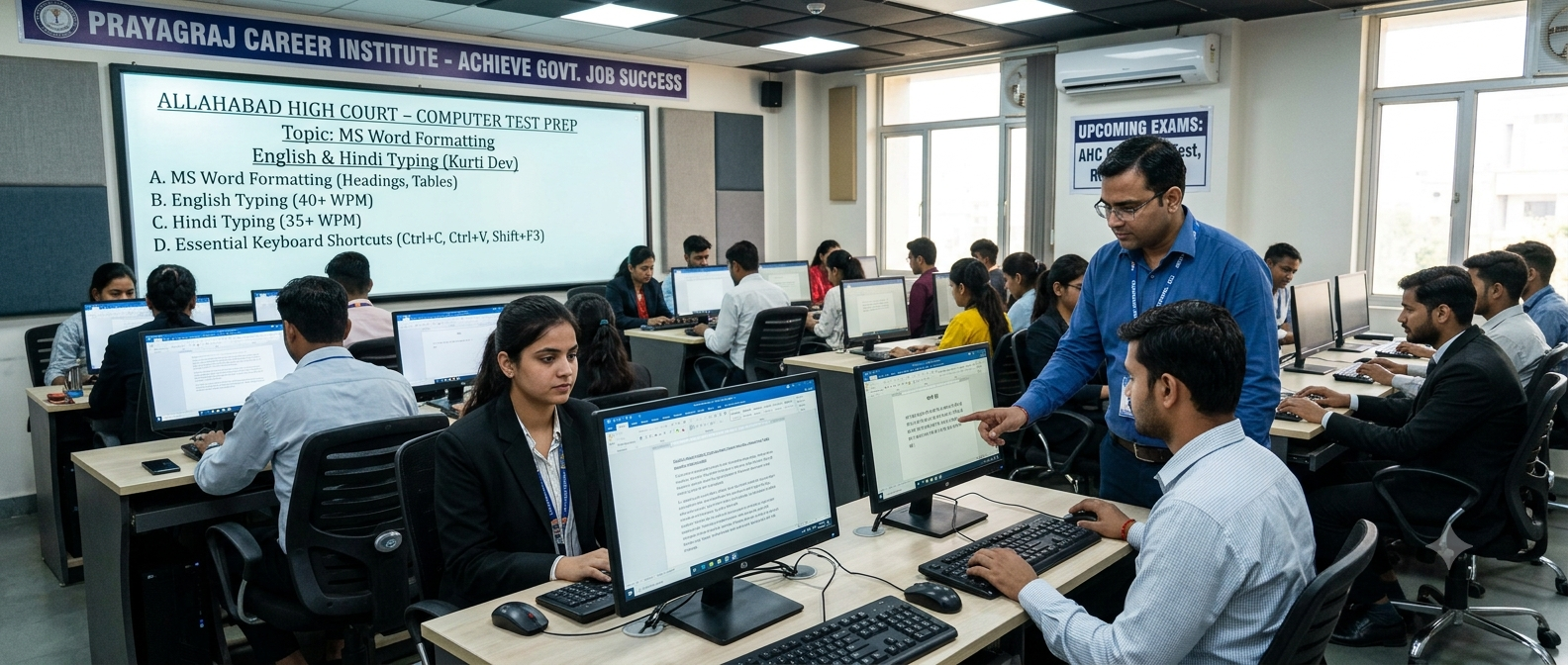
Allahabad High Court Computer Test Preparation Guide 2026
The Allahabad High Court Computer Test is one of the most important stages of recruitment for various technical and administrative posts. Candidates who qualify the written examination must demonstrate practical computer knowledge, typing proficiency, document formatting skills, and the ability to complete office tasks efficiently.
Many candidates prepare only for the written examination and underestimate the importance of the computer skill test. However, a strong performance in this stage is essential for final selection. This guide explains everything you need to know to prepare effectively.
What is the Allahabad High Court Computer Test?
The computer test evaluates your ability to perform common office tasks using a computer. It is designed to assess practical skills rather than theoretical knowledge. Candidates may be required to type documents, format files, create tables, manage folders, and use basic Microsoft Office applications.
Skills Tested in the Examination
- English Typing Speed
- Hindi Typing Speed
- Microsoft Word Formatting
- Document Editing
- Page Setup
- Table Creation
- Paragraph Formatting
- Header & Footer
- File Saving and Folder Management
- Basic Keyboard Shortcuts
Important Topics to Practice
| Topic | Importance |
|---|---|
| English Typing | ★★★★★ |
| Hindi Typing | ★★★★★ |
| MS Word Formatting | ★★★★★ |
| Keyboard Shortcuts | ★★★★☆ |
| File Management | ★★★★☆ |
| Basic Computer Knowledge | ★★★★☆ |
Microsoft Word Formatting Topics
- Font Style & Font Size
- Bold, Italic & Underline
- Text Alignment
- Bullets & Numbering
- Line Spacing
- Margins
- Page Orientation
- Columns
- Tables
- Page Borders
- Header & Footer
- Page Numbering
- Find & Replace
Essential Keyboard Shortcuts
| Shortcut | Function |
|---|---|
| Ctrl + C | Copy |
| Ctrl + V | Paste |
| Ctrl + X | Cut |
| Ctrl + Z | Undo |
| Ctrl + Y | Redo |
| Ctrl + B | Bold |
| Ctrl + I | Italic |
| Ctrl + U | Underline |
| Ctrl + S | Save |
| Ctrl + P | |
| Ctrl + A | Select All |
| Ctrl + F | Find |
Daily Preparation Plan
| Activity | Duration |
|---|---|
| English Typing Practice | 20 Minutes |
| Hindi Typing Practice | 20 Minutes |
| MS Word Formatting | 30 Minutes |
| Shortcut Keys Practice | 10 Minutes |
| Mock Computer Test | 20 Minutes |
Common Mistakes Candidates Make
- Ignoring document formatting.
- Practicing only typing speed.
- Not learning shortcut keys.
- Poor file management.
- Saving documents incorrectly.
- Ignoring Hindi typing practice.
- Not attempting mock computer tests.
Pro Tips
Frequently Asked Questions
Is typing compulsory in the Allahabad High Court Computer Test?
Yes. Most computer skill tests include English typing, Hindi typing, or both, depending on the post and official notification.
Which software should I practice?
Microsoft Word is the primary application for document formatting practice. Basic Windows file management is also recommended.
How much should I practice daily?
Practicing for 1.5 to 2 hours daily with a balanced focus on typing and formatting is generally sufficient.
Do I need advanced computer knowledge?
No. Basic computer operations, typing skills, MS Word formatting, and file handling are usually enough for most High Court computer tests.
Conclusion
The Allahabad High Court Computer Test is designed to evaluate practical office skills. Candidates who combine typing practice with MS Word formatting, keyboard shortcuts, and file management gain a significant advantage. Consistent daily practice and regular mock tests can help you perform confidently and improve your chances of selection.
Call to Action
Practice daily with Free Shorthand Typing to improve English typing, Hindi typing, document formatting skills, and overall computer proficiency for Allahabad High Court and other government recruitment examinations.
Popular Tags:
- Allahabad High Court
- Computer Test
- High Court Recruitment
- MS Word
- Formatting
- English Typing
- Hindi Typing
- Government Exams
- Free Shorthand Typing
- Typing Test
- Computer Skills
- Shortcut Keys
- Office Assistant
- Court Jobs
- Typing Speed
- Typing Accuracy
- Court Computer Test
- Government Job Preparation
- Word Formatting
- High Court Exam